
How to Find Yavapai County Court Dockets
The fastest route to a Yavapai docket is the statewide Public Access Case Lookup. It covers Yavapai County Superior Court, the five Justice Courts, and the local Municipal Courts. The tool is free. A CAPTCHA gate sits in front of the search form. Once past the gate, the tool offers four routes. Case Search pulls a single case by number or party. Minute Entry Search reaches the text of a hearing record. Case Notification sets up email alerts for new events on a case. The Help tab walks through portal use.
Before starting, gather the basics. A case number speeds the search. A sample Yavapai case number looks like CV-200812345, where the prefix marks case type and the year follows. If only a last name is in hand, that works too. Adding a first name and a year filter cuts down false hits.
- Open Public Access Case Lookup and complete the CAPTCHA prompt.
- Pick a search mode. Use Case Search for a case number lookup, Minute Entry Search for hearing notes, or Case Notification to set up alerts.
- Enter a last name or a business name. Add the first name and a year to trim false matches.
- Pick the court from the dropdown. Yavapai County Superior, Prescott Justice, Verde Valley Justice, Mayer Justice, Bagdad Justice, and Seligman Justice each appear by name.
- Open the case to view the docket. Each line shows a date, an event type, and a short note.
- For a document image on a Superior Court civil or criminal case filed July 1, 2010 or later, switch to eAccess and pull the paper.
The screenshot below points to the live Public Access landing screen as posted by the Arizona Judicial Branch at apps.azcourts.gov/publicaccess.
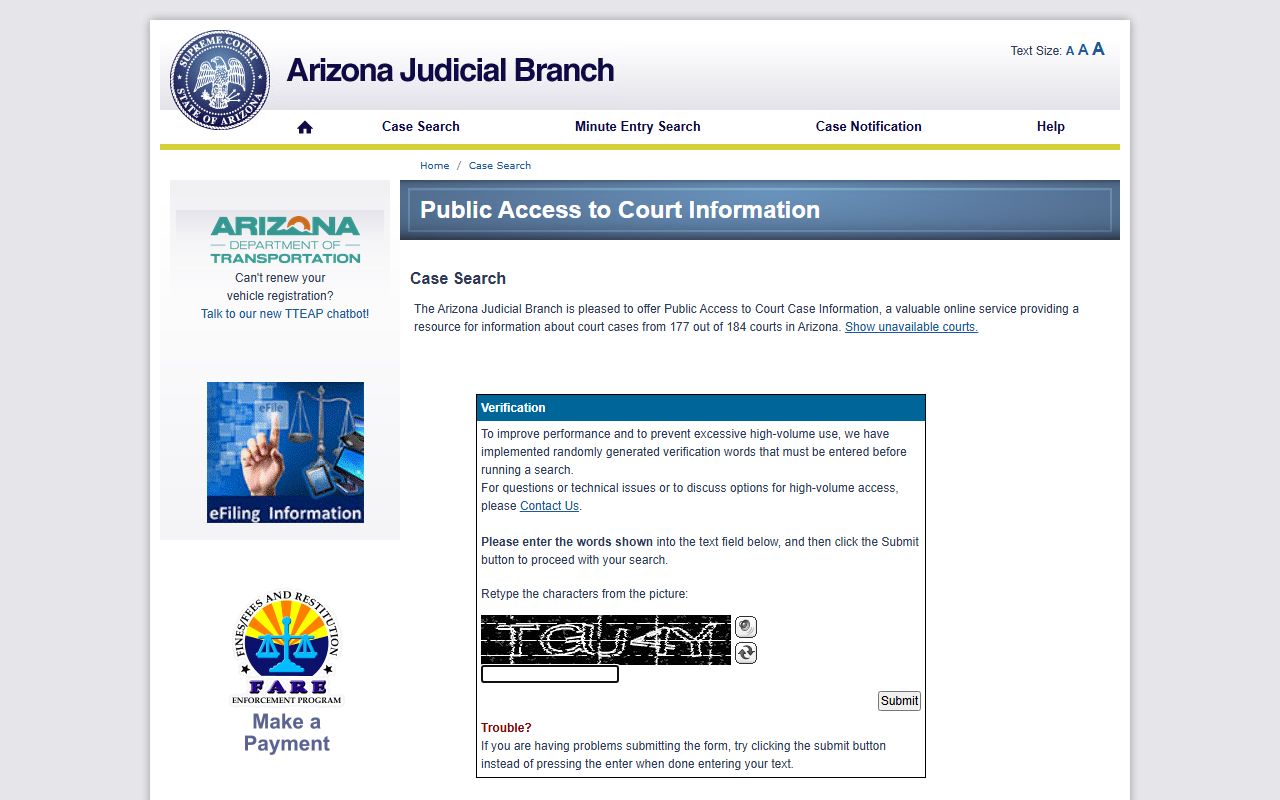
The portal is the same one used statewide, so the look and field layout match every Arizona county. Yavapai courts appear in the court dropdown by precinct or city name.
Public Access Minute Entry Search
A minute entry is the official court record of what happened at a hearing or what the court ordered. Minute Entry Search reaches inside that text. The mode is most useful when the user knows what a judge said but does not have a case number. It can also help confirm a sentence, a ruling, or a court order date. The same CAPTCHA gate applies. The court dropdown, the year filter, and the name fields work the same as Case Search.
The table below shows the search-field setup for the Minute Entry Search route and the wider Public Access portal.
| Field Label | Type | Required | Notes |
|---|---|---|---|
| CAPTCHA / Retype Characters | Text | Yes | Public page requires CAPTCHA submit before the search form opens. |
| Search Mode | Tab | Yes | Case Search, Minute Entry Search, Case Notification, or Help. |
| Last Name or Business Name | Text | Yes for name search | "Please enter a Last Name or Business Name." |
| First Name | Text | Optional | Narrows party search after CAPTCHA. |
| Date of Birth | Date | Optional | Used in many name searches to break ties. |
| Court | Dropdown | Optional | Default is "-- All Searchable Courts --"; Yavapai precincts listed by name. |
| Year | Dropdown | Optional | Year list runs from 2026 back to 1916. |
| Case Number | Text | Yes for case-number search | Format example: CV-200812345. |
| Search / Submit | Button | Yes | CAPTCHA submit appears first; search buttons load after. |
The year dropdown reaches back to 1916. Older index entries may show up there, but pre-1992 file copies go through the Yavapai County Courthouse in Prescott.
The Weekly Update Schedule
Public Access is not live. The Arizona Judicial Branch states case information is updated each Friday and reflects events through the Wednesday of that same week. Same-day filings, new minute entries, and fresh warrants will not show up until the next Friday refresh. A docket pulled on a Monday could be five days behind real-time. A docket pulled on a Friday afternoon could be only a day behind.
Important: Public Access refreshes each Friday and reflects case events through the Wednesday of that same week. For same-day docket items, call the Clerk or the assigned court instead.
The lag is short, but it matters in three settings. First, in custody matters, the docket may not reflect a release order until the next Friday. Second, in family law, a fresh order may sit unposted for days. Third, in criminal cases, a continuance set on Thursday will not appear until eight days later. For any of these, the Clerk records line at (928) 777-7934 or the assigned division phone is the better source.
What a Yavapai County Docket Shows
A docket is a list of events, not a stack of documents. Each row reflects one act in the case. Common entries include the initial filing, the answer, motions by either side, minute entries from each hearing, continuances, judgments, sentencing notes in criminal cases, dismissal orders, release orders, and writs. The table below uses the standard three-column layout most readers see on Public Access.
| Filing Date | Event Type | Description |
|---|---|---|
| 03/14/2025 | Complaint Filed | Initial civil complaint by plaintiff; opens case file. |
| 04/02/2025 | Answer | Defendant files written response to complaint. |
| 05/16/2025 | Motion | Either party asks the judge to issue an order. |
| 06/10/2025 | Minute Entry | Official court summary of what occurred at the hearing. |
| 07/01/2025 | Continuance | Hearing date postponed to a later setting. |
| 08/22/2025 | Hearing | Status conference, oral argument, or evidentiary hearing. |
| 09/15/2025 | Order | Judge's written ruling on a motion or request. |
| 10/30/2025 | Judgment | Final ruling on liability, sentence, or money owed. |
| 11/12/2025 | Writ | Court order directing an official or party to act. |
| 12/05/2025 | Release Order | Order setting bond conditions or release from custody. |
Dispositions and sentencing entries show up on criminal dockets. Dismissals close the file. Sealed cases do not appear at all. Confidential exhibits and juvenile dependency entries are pulled from public view under court rule and statute.
Yavapai Courts and Their Dockets
Yavapai has three court tiers that post dockets through Public Access. The Superior Court bench is split between Prescott and Camp Verde. Five Justice Courts cover the rural precincts and the small towns. Eight municipal courts handle city ordinance and traffic work within city limits. Each one appears as a separate option in the Public Access court dropdown.
- Yavapai County Superior Court - felonies, large civil, family, probate, and juvenile. Divisions 1, 2, 3, 4, 5, 8, Pro Tem A, and the Family Law Commissioner sit in Prescott. Division 7 and Pro Tem B sit in Camp Verde. Division 6 handles juvenile at the Juvenile Justice Center.
- Prescott Justice Court - small claims, eviction, traffic, misdemeanor for the Prescott precinct.
- Verde Valley Justice Court - limited civil and criminal cases out of Cottonwood for the Verde precinct.
- Mayer Justice Court - limited jurisdiction docket for the Mayer area.
- Bagdad-Yarnell Justice Court - serves the west-county precincts.
- Seligman Justice Court - limited jurisdiction docket for the Seligman area.
- Municipal Courts - Camp Verde, Chino Valley, Clarkdale, Cottonwood, Dewey-Humboldt, Jerome, Prescott, Prescott Valley, plus Sedona for city ordinance and traffic.
The official Superior Court Divisions page lists each bench officer, the courtroom number, and the standing orders for each division. The screenshot below comes from that page.
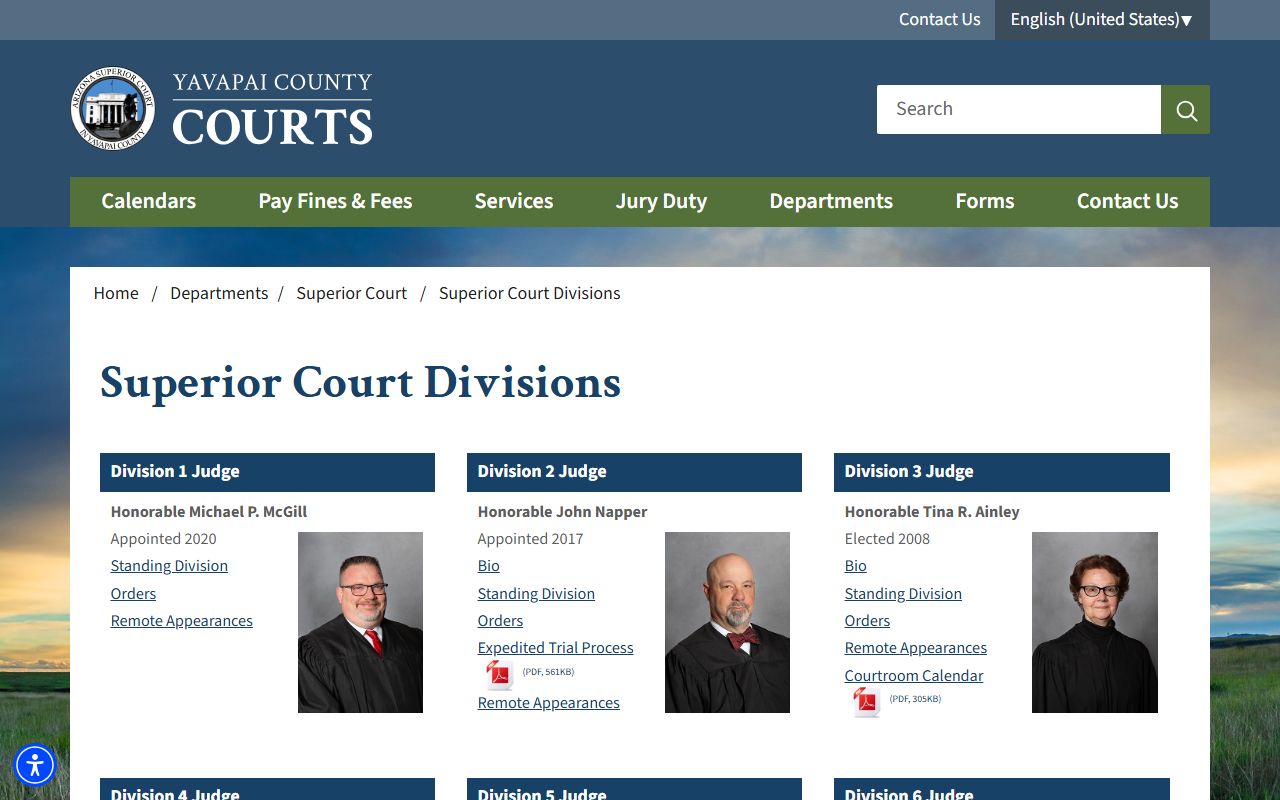
Standing orders posted on each division page often spell out how that judge wants motions, exhibits, and remote appearances handled. Those rules feed directly into docket entries later in the case. The detailed bench-by-bench list also sits on the Yavapai County Superior Court page.
eAccess for Superior Court Documents
Public Access shows the docket. eAccess shows the actual paper. The official Arizona eAccess portal provides 24/7 online access to Superior Court civil and criminal case records for cases filed on or after July 1, 2010. Pima criminal cases run on a different start date. Sealed, closed, confidential, protected, or restricted cases are pulled from the tool. Eligible files include complaints, petitions, answers, motions, orders, judgments, decrees, notices, warrants, writs, and minute entries.
Most users hit eAccess in two scenarios. The first is when the docket says a minute entry exists but the text is needed. The second is when a copy of an order, a judgment, or a notice has to be saved. Document purchase may be required. Pre-2010 Superior Court files, Justice Court files, and Municipal Court files do not flow through eAccess. For those, the route is the Clerk for Superior Court items or the precinct court directly for limited-jurisdiction items.
When to Contact the Clerk for Docket Info
The online portals work for most docket lookups. They do not work for everything. Five situations push the user to the Clerk of Superior Court. The first is a same-day docket question, since Public Access lags by up to a week. The second is a pre-1992 Yavapai case, which sits in the courthouse paper file. The third is a certified copy of a minute entry or order, which the Clerk charges $35 plus $0.50 per page to produce. The fourth is a sealed file that the user has authority to view through a court order. The fifth is a docket gap, where an event appears to be missing and needs verification.
Yavapai County Clerk of Superior Court
Clerk: Donna McQuality
120 South Cortez Street, Room 207
Prescott, AZ 86303
Records Phone: (928) 777-7934
Email: YavapaiRecordsManagement@courts.az.gov
Hours: Mon-Fri 8:00 a.m. to 5:00 p.m.
For Verde Valley cases, the Clerk also staffs Camp Verde at 2840 North Commonwealth Drive. The Camp Verde records line shares the wider Verde Valley Services Supervisor number. More on Clerk fees, request routes, and certified copies sits on the Yavapai County Clerk of Court page.
Differences Between Dockets and Full Case Records
A docket is the index. A full case record is the file. The docket lists what happened and when. The file holds the actual papers behind each event. Most readers only need the docket. Lawyers, parties to the case, and reporters often need the file itself.
| Docket | Full Case Record | |
|---|---|---|
| Format | Date-by-date list of events | Stack of filed documents |
| Source | Public Access Case Lookup | eAccess (post-July 2010 Superior) or Clerk |
| Cost | Free | $0.50 per page; $35 certified |
| Refresh | Each Friday for the prior Wednesday data | Updated as documents are filed |
| Best Use | Track case status and next hearing | Read the actual motion, order, or judgment |
| Sealed Items | Hidden from public list | Hidden unless court order grants access |
Most legal questions can be answered from the docket alone. A docket shows the next hearing date, the current judge, the case status, and the latest order. Full case file pulls usually come last. For full case file context, see Yavapai County court records. For criminal docket detail, see Yavapai County criminal records. Common docket questions are answered on the Yavapai County FAQ.